Devices that fail in the field
Consumer phones crack, overheat and drain quickly in ambulance conditions.
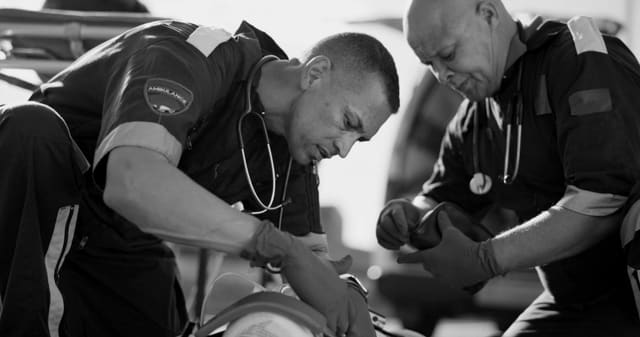
Give paramedics one durable device for the operational tools they use every shift.
Overview
Paramedics often carry a radio, a personal phone, a paper patient form and sometimes a tablet, each with its own charger and its own failure point. One managed rugged phone brings communication, forms, navigation and checks together in a device built for the conditions EMS crews work in.
Ambulance crews work in vehicles, on roadsides, in homes and in hospital bays, often in rain, heat and low light, and frequently while wearing gloves. Consumer smartphones crack, overheat and run flat. Separate devices for each task mean more things to charge, more things to lose and more places for information to get stuck. When a crew uses a personal phone for work, the service also loses control of patient data. A ruggedised mobile phone, enrolled in mobile device management, gives every crew member the same tested device with the same approved apps, so the tools work the same way on every shift.
At the start of a shift, a paramedic collects a rugged phone from the station charging rack. Device management has already installed the push-to-talk app, the vehicle checklist, the electronic patient form and navigation. The crew completes the vehicle readiness check on the device, then receives a dispatch. They talk to the control room over push-to-talk, navigate to the scene and capture patient information on the electronic form, with gloves on and in the rain. At handover, the form is complete and synced. At the end of the shift the phone goes back on the rack and is ready for the next crew.
The challenge
Consumer phones crack, overheat and drain quickly in ambulance conditions.
Radio, paper forms and personal phones each hold part of the picture.
Work on personal devices puts sensitive records outside the organisation's control.
Without central management, every handset needs individual setup and support.
Operational flow
01
Select one rugged handset that suits gloves, drops, dust, water and long shifts.
02
Register every device in mobile device management before it reaches a crew.
03
Push approved apps, settings and security policies to the whole fleet remotely.
04
Crews use one device for push-to-talk, checklists, patient forms and navigation.
05
Track, update, lock or wipe devices centrally without taking them out of service.
What operations can see
Operational impact
Who it's for
Give every crew the same reliable tools on every shift and every vehicle.
Combine communication and incident tools in one device that survives the scene.
Deploy a fleet of ready-to-use devices quickly for large events.
Manage a shared device fleet centrally with less hands-on support.
Insight
One managed rugged device simplifies the crew's day and strengthens the service. Fewer devices fail, communication and records stay in one place, and patient data stays under organisational control. Because the fleet is managed centrally, new apps and updates reach every crew without anyone handling the devices individually.
This use case is particularly relevant to EMS environments, but the underlying operating model can also apply wherever distributed frontline teams, vehicles, assets or facilities need stronger visibility and accountability.
FAQ
A rugged phone is built to withstand drops, water, dust and temperature extremes, usually with an IP68 rating and military-standard drop testing. Many also support glove use, loud speakers and a dedicated push-to-talk button.
For many EMS teams, yes. With a mission-critical push-to-talk app, a rugged phone provides instant group calling over cellular and Wi-Fi, and can connect to existing radio networks.
Mobile device management lets you configure, update, secure and track every device remotely, so shared handsets are always ready and patient data is protected.
Yes. Managed devices can be shared from a charging rack, with apps and settings already in place, so each crew gets a ready device at the start of every shift.

Tell us how your operation runs today and we'll show you what this looks like for your teams.