01
Shift Scheduling
Create rosters, assign shifts and manage different working patterns across teams and locations.

TIME & ATTENDANCE
Digitise attendance, shifts, overtime and workforce reporting across offices, sites and distributed teams.
ONE CONNECTED SYSTEM
Every clocking, shift and leave request feeds the same record, on desktop for supervisors and on mobile for employees.
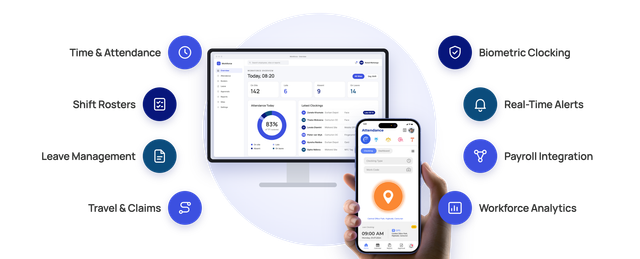
WORKFORCE ATTENDANCE
Set up departments, sites and user roles to match your organisation, then apply different shift rules, schedules and approval processes to each group.
01
Create rosters, assign shifts and manage different working patterns across teams and locations.
02
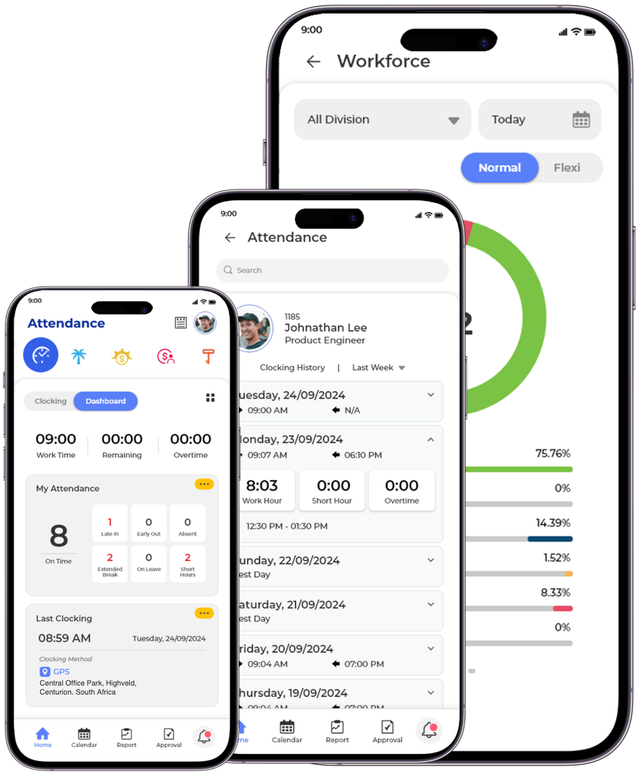
Employees view their shifts, clockings and leave balance, and submit requests, from their own phone.
03
Calculate the distance between two points by GPS so travel and mileage claims are based on recorded journeys.
WAYS TO CLOCK IN
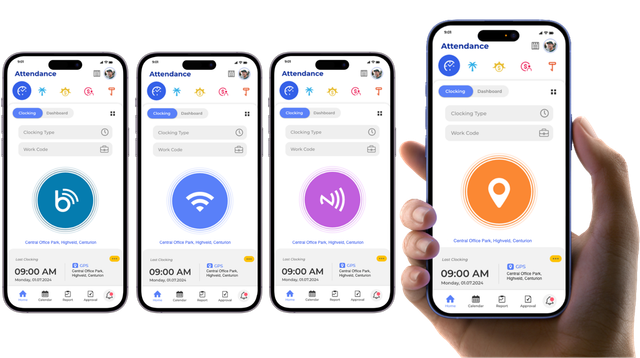
Use fixed terminals where teams share an entrance and mobile clocking where they work in the field. Every clocking is checked against identity, time and location.
01
Fingerprint and facial recognition terminals for fast, secure clocking at shared entrances.
02
Card clocking for sites where biometrics are not practical.
03
Mobile clockings are only accepted inside the geofence set for a site or client location.
04
Confirm presence by connecting to the site network, tapping an NFC tag or coming within range of a Bluetooth beacon.
MANAGE ATTENDANCE EXCEPTIONS
01
Record attendance through the approved method.
02
Confirm time, location and employee identity.
03
Identify lateness, missed clockings, absence or overtime.
04
Send late arrivals, missed clockings and overtime to the right supervisor for approval.
05
Create an accurate attendance record ready for reporting or payroll.
LESS ADMIN, CLEANER PAYROLL
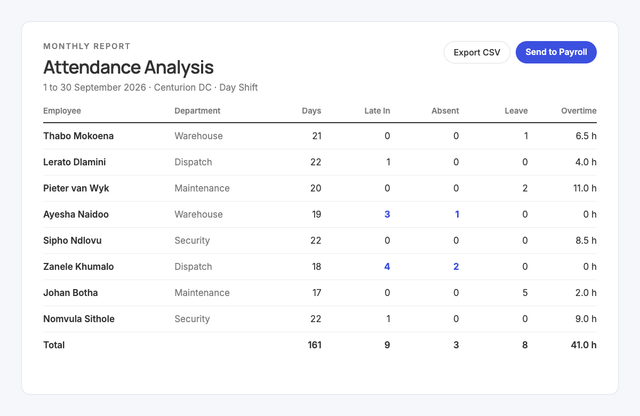
Time, lateness and overtime are calculated automatically, so supervisors review only the exceptions. Approved records go straight to payroll and HR systems, with no paper registers, spreadsheets or duplicate capture.
LEAVE MANAGEMENT
Employees apply for leave and check their balance from the mobile app. Supervisors approve on the go, and the leave calendar shows who is away before rosters are set.
01
Apply for and approve leave from a phone, with policies set for each employee group.
02
See every request, approval and balance in one place for scheduling and resource planning.
03
Employees and managers check remaining leave in one click.
04
Flag critical work periods so leave is not approved when cover is needed most.
05
Remind employees of upcoming leave and supervisors of pending approvals.
LIVE VISIBILITY AND REPORTING
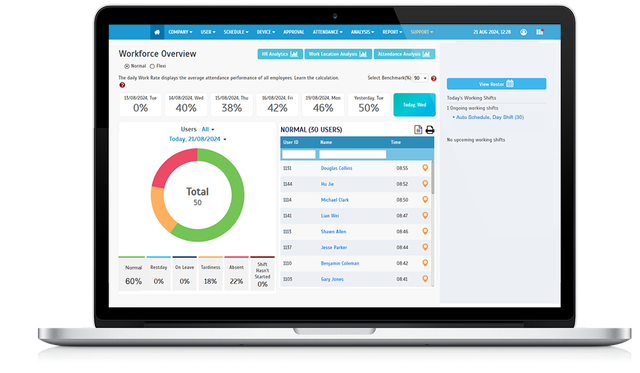
Dashboards show every team and location in real time. Over 40 ready-made reports cover attendance, overtime, leave and rosters, filtered by department, site or date and exported for payroll, audits or management review.

01
See who is on site, absent or not yet clocked in.
02
Understand whether teams and locations have the required workforce coverage.
03
Monitor accumulated additional hours.
04
Compare workforce activity across sites and teams.
05
Get notified when someone has not clocked in, is late, is absent or has missed a clocking.
Whitepaper
For shift-based operations, attendance is the record payroll, safety and labour compliance all depend on, yet many still run it on paper or reconcile it by hand at the end of the week.
Use cases
More in Digitise Operations

EVERY SHIFT VISIBLE. EVERY HOUR ACCOUNTED FOR.
Improve attendance visibility, reduce administration and create reliable workforce records across every team and location.