No fixed terminals
Remote and temporary sites have nowhere to install a clocking machine.
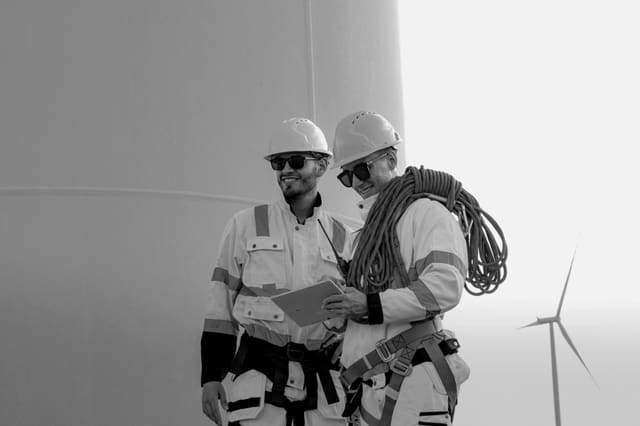
Verify attendance where there is no traditional office clock.
Overview
When teams work across remote sites, attendance is easy to dispute and hard to verify. A mobile time and attendance system with location-verified clocking gives managers an accurate, real-time record of who worked where and when.
Remote sites, such as rural infrastructure projects, distributed facilities and field maintenance areas, rarely have a fixed clocking terminal. Attendance is captured on paper registers, by WhatsApp messages or by a supervisor's word, then reconciled manually at month end. Errors and buddy-clocking go unnoticed, overtime is disputed and payroll takes days to prepare. A time and attendance system that works on rugged phones and portable terminals, with GPS and biometric verification, captures attendance accurately wherever the work happens and feeds it straight into payroll.
A maintenance contractor runs 25 crews across rural water and electrical sites in two provinces. Each crew leader carries a rugged phone with the attendance app. At the start of a shift, every worker clocks in with a face scan, and the app records the GPS location against the assigned site. A worker who clocks in 3km from the site is flagged automatically. The operations manager sees a live view of who is on shift across all sites. At month end, verified hours, overtime and exceptions export to payroll in a single file, with no manual capturing.
The challenge
Remote and temporary sites have nowhere to install a clocking machine.
Registers and WhatsApp messages are easy to lose, edit or dispute.
Workers sign in for absent colleagues without any way to check.
Manual reconciliation delays payroll and leads to overtime disputes.
Operational flow
01
Link each worker and crew to their work sites and shifts.
02
Workers clock in with face or fingerprint on a rugged phone or portable terminal.
03
GPS confirms the worker is on the assigned site, and exceptions are flagged.
04
Managers see who is on shift, late or absent across every site.
05
Verified hours, overtime and leave flow into payroll without manual capture.
What operations can see
Operational impact
Who it's for
Track crews across rural and remote project sites.
Verify attendance at many client sites without fixed terminals.
Record seasonal and field workforce attendance accurately.
Run payroll from verified data instead of manual registers.
Insight
A mobile time and attendance system makes every site accountable. Attendance is verified by identity and location, managers see exceptions as they happen, and payroll runs from accurate data. Disputes fall, overtime is controlled and month-end is faster.
This use case is particularly relevant to Cross-industry environments, but the underlying operating model can also apply wherever distributed frontline teams, vehicles, assets or facilities need stronger visibility and accountability.
FAQ
It is a clocking system that runs on phones, tablets or portable terminals instead of fixed machines, so workers can clock in on any site with identity and location verification.
Workers clock in with their own face or fingerprint, and GPS records where they are. Clock-ins from the wrong location are flagged automatically.
Yes. Verified hours, overtime and leave can export to your payroll system, which removes manual capturing and reduces errors.
Yes. The app can store clock-ins offline and sync them when the device reconnects, keeping the original time and location.

Tell us how your operation runs today and we'll show you what this looks like for your teams.