Radio roll calls
Asking who is available wastes time on every call.
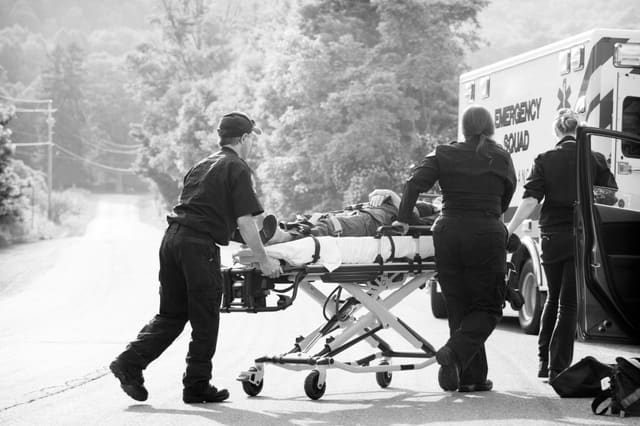
Send the right resource with a clear picture of the incident.
Overview
The fastest response comes from the closest suitable resource, not the first one that answers the radio. Computer-aided dispatch combines live vehicle location, status and capability to recommend the right unit for every call.
Many control rooms still dispatch by experience and radio roll call. Controllers ask who is available, estimate distances and choose based on partial information. When call volumes rise, this slows down and mistakes increase. A computer-aided dispatch system receives the call location, checks the live position and status of every unit, filters by capability, such as advanced life support or rescue equipment, and recommends the best option. The controller confirms with one click, and the crew receives the job on their device.
A call reports a motor vehicle accident with entrapment on a busy arterial road. The CAD system geocodes the address and recommends the nearest rescue vehicle and the closest available advanced life support ambulance, showing estimated arrival times. The controller accepts both recommendations. Each crew receives the incident details and route on their in-vehicle tablet and acknowledges with one tap. The controller monitors both units on the map and adds a traffic unit as the scene develops. The full timeline is recorded automatically.
The challenge
Asking who is available wastes time on every call.
Controllers guess which unit is closest based on partial information.
The nearest unit may not have the skills or equipment the call needs.
Recording times and actions by hand is slow and incomplete.
Operational flow
01
Capture the call and locate the incident on the map.
02
The system ranks units by distance, status and capability.
03
The controller confirms, and the crew receives the job on their device.
04
Track units to the scene and add resources as needed.
05
Every step is time-stamped for reporting and review.
What operations can see
Operational impact
Who it's for
Send the closest ambulance with the right level of care.
Dispatch appliances and specialist units quickly.
Send the nearest response vehicle to alarms and panic signals.
Coordinate multiple services from one dispatch system.
Insight
Computer-aided dispatch makes the best decision the fastest one. Controllers spend less time asking and more time managing incidents, crews get clear instructions on their devices, and every response is measured. Response times fall, especially when the control room is busiest.
This use case is particularly relevant to Emergency response environments, but the underlying operating model can also apply wherever distributed frontline teams, vehicles, assets or facilities need stronger visibility and accountability.
FAQ
Computer-aided dispatch, or CAD, is software that helps control rooms receive calls, locate incidents, recommend resources and track responses from call to close.
It uses live GPS positions and status from every unit to calculate which available resources can reach the incident fastest.
Yes. Units can be filtered by skills and equipment, such as advanced life support or rescue tools, so the recommendation fits the incident.
Yes. CAD connects with vehicle tracking, push-to-talk and in-vehicle devices, so dispatch, communication and location work together.

Tell us how your operation runs today and we'll show you what this looks like for your teams.